Skills Ladder
The Skills Ladder helps you organise your DBT skills by distress level, so you always know which skill to reach for — whether you're in crisis or working towards wise mind.
What is the Skills Ladder?
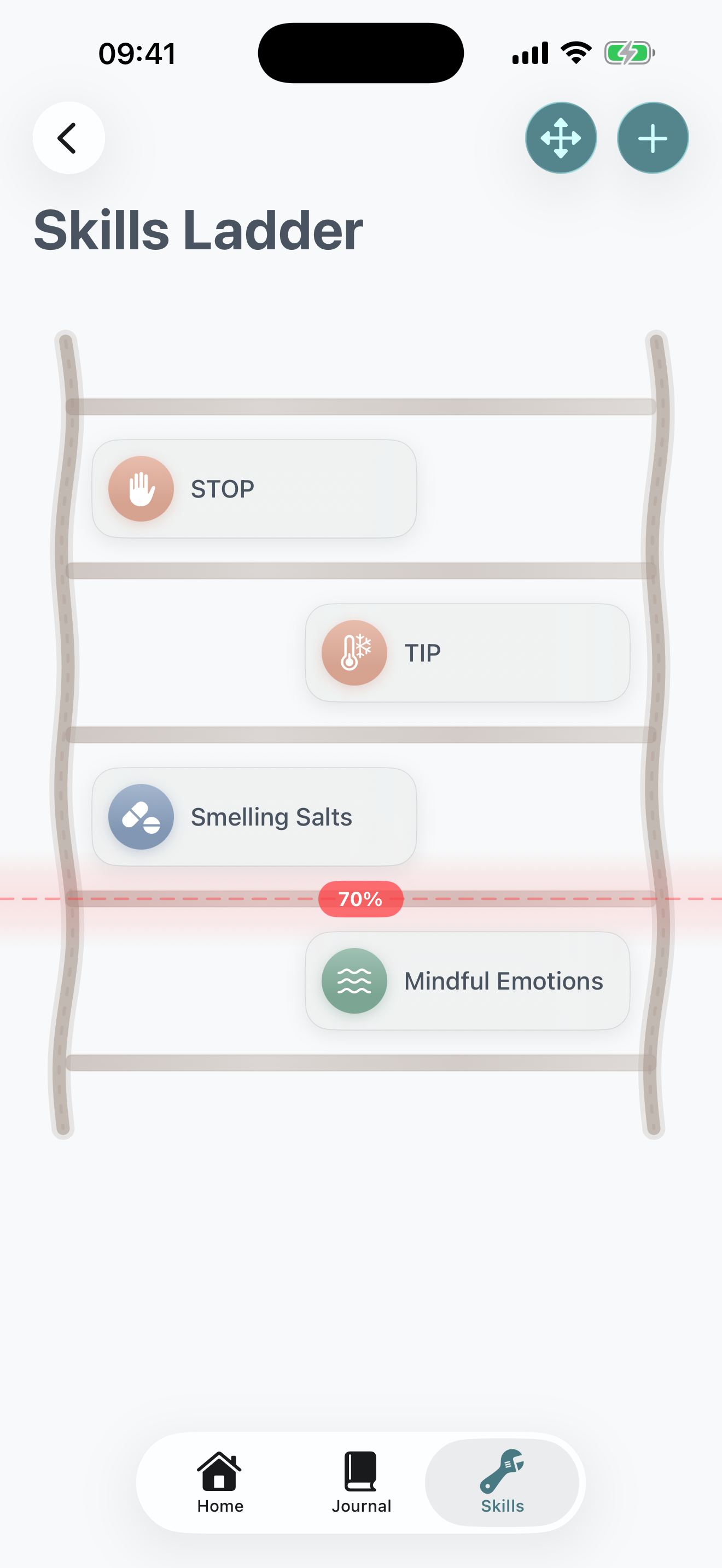
The Skills Ladder is a visual tool that arranges your DBT skills like rungs on a ladder. The idea is simple: when you're highly distressed, you start at the top and work your way down as you become calmer.
Skills are split into two zones, separated by a 70% distress threshold:
High Distress (70%+)
Crisis skills for when distress is at its peak. These are your go-to skills when you need immediate relief — things like TIPP, ice diving, or intense exercise.
Wise Mind
Calmer skills for when your distress has lowered. These help you maintain balance and continue de-escalating — like mindfulness, self-soothing, or opposite action.
Adding Skills to Your Ladder
Tap the + button in the top-right corner to add a new skill to your ladder. You'll be presented with two options:
Choose a Zone
First, select which zone the skill belongs in using the segmented picker at the top:
- High Distress: For skills you'd use when distress is above 70%
- Wise Mind: For skills you'd use once you've started to calm down
Option 1: From Your Skills
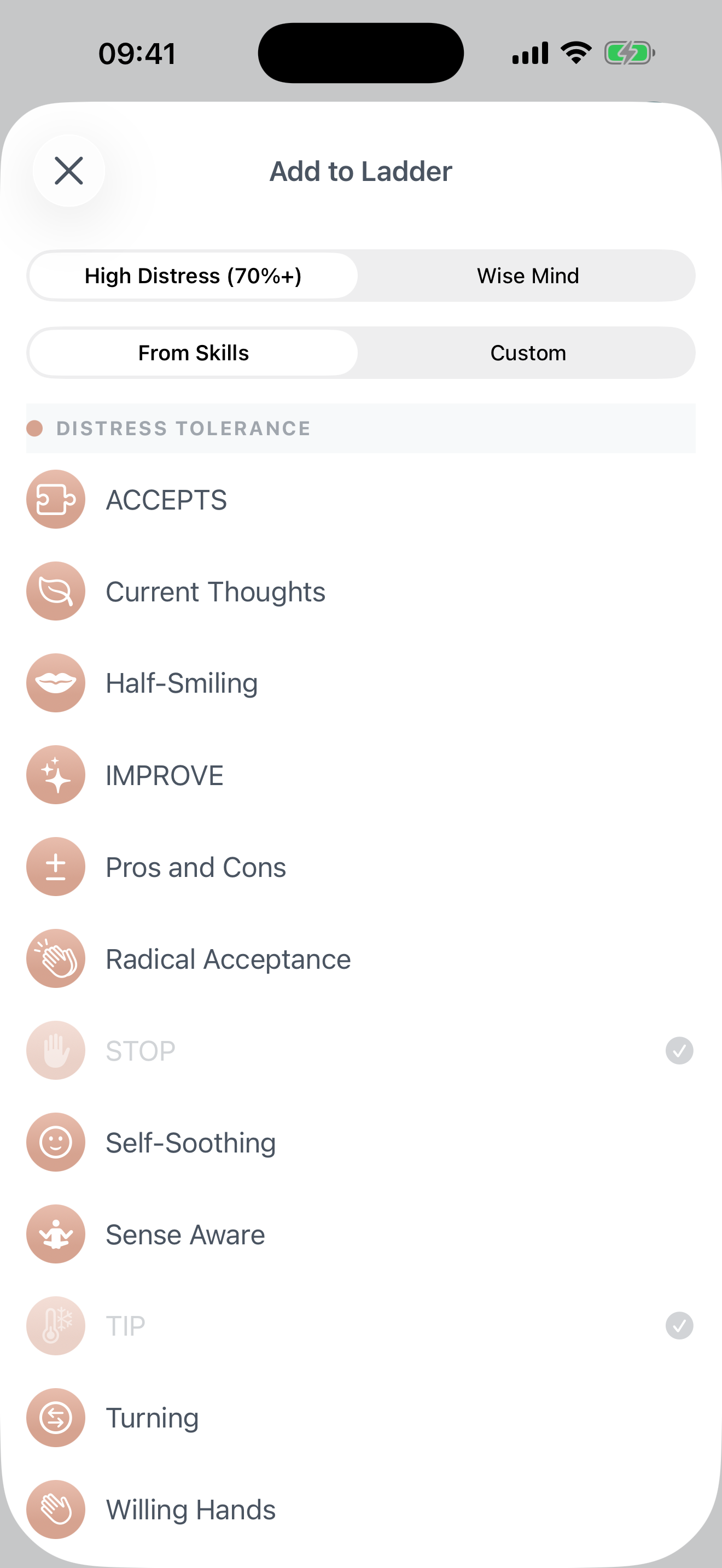
Browse your existing DBT skills catalogue, organised by module. Skills you've already added to the ladder are marked with a checkmark. Simply tap a skill to add it.
Option 2: Custom Entry
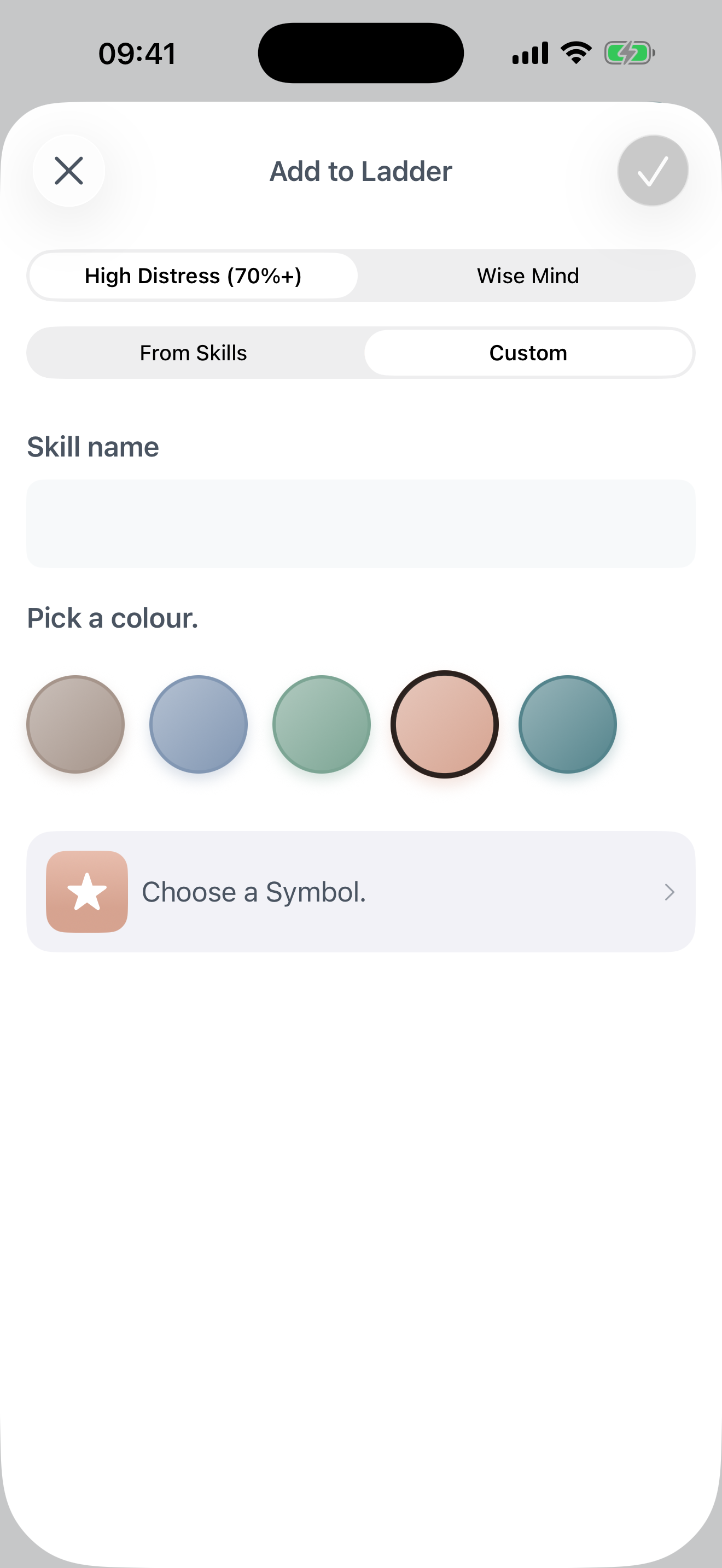
Create a completely custom ladder entry with:
- A custom name (up to 40 characters)
- Your choice of colour theme
- A symbol/icon from the icon picker
This is useful for adding personal coping strategies that aren't in the standard DBT skills list.
Using Your Ladder During Distress
When you're feeling overwhelmed, open your Skills Ladder and:
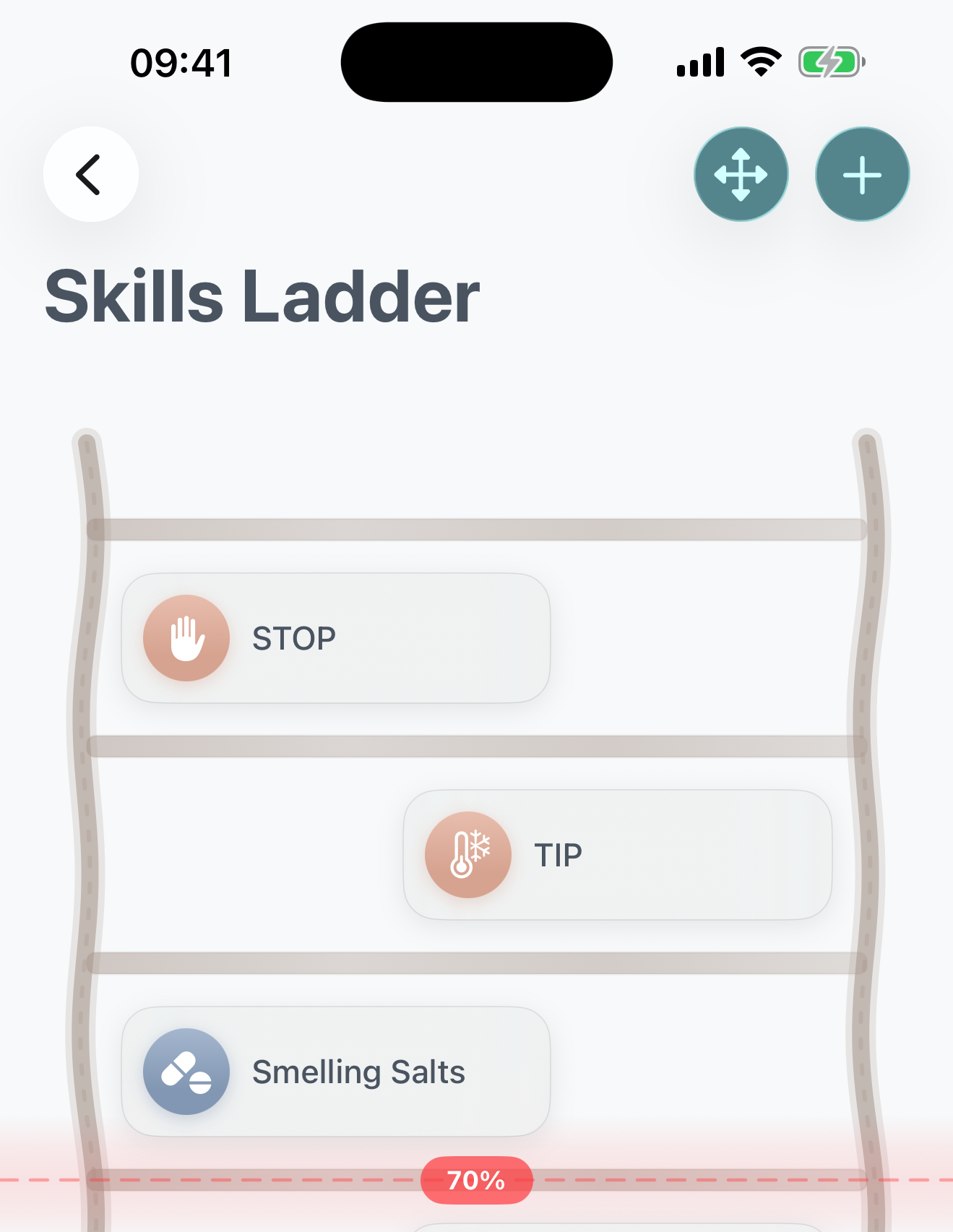
- Start at the top — use the crisis skills above the 70% line first
- Work your way down — as each skill helps lower your distress, move to the next rung
- Cross the threshold — once you're below 70%, shift to the wise mind skills
- Continue descending — keep practising skills until you feel grounded
Each skill card shows the skill name and its module colour, so you can quickly identify what type of skill it is at a glance.
Reordering Skills
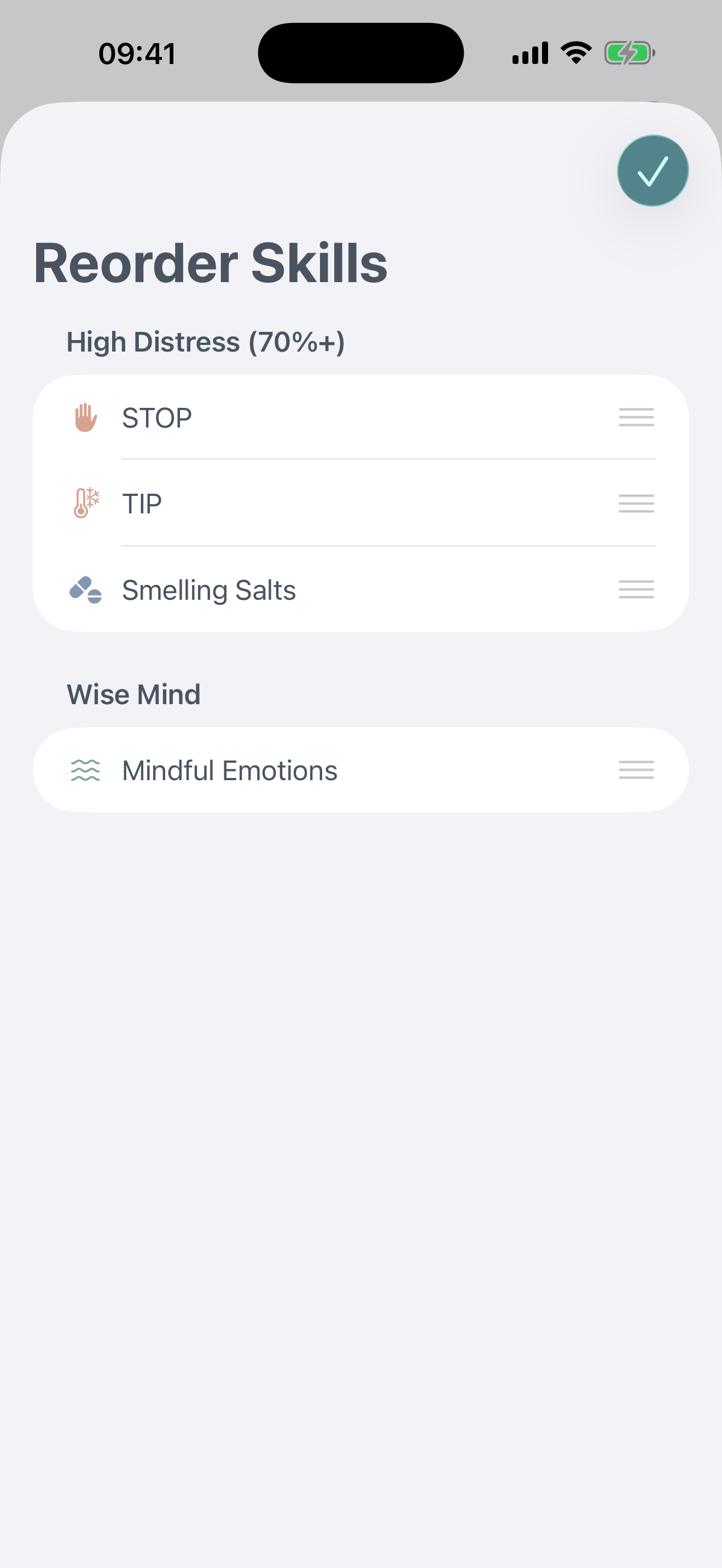
The order of skills on your ladder matters — you want your most effective crisis skills at the very top. To reorder:
- Tap the reorder button (arrows icon) in the toolbar
- You'll see your skills split into their two zones: High Distress (70%+) and Wise Mind
- Drag the handle bars on the right side of each skill to rearrange them within their zone
- Tap Done when you're happy with the order
Removing Skills
To remove a skill from your ladder:
- Long-press (press and hold) on any skill card
- A context menu will appear
- Tap "Remove from Ladder"
Removing a skill from the ladder doesn't delete the skill itself — it simply removes it from your ladder view. You can always add it back later.
Tips for Building Your Ladder
Start with What You Know
Add the skills you've already found helpful during high-distress moments at the top. You can always rearrange as you discover what works best.
Keep It Focused
You don't need every skill on your ladder. A focused list of 6-10 well-chosen skills is more useful in a crisis than an overwhelming list of 30.
Review and Refine
After using your ladder during a difficult moment, review whether the order worked. Move skills up or down based on what actually helped most.
Add Custom Strategies
If you have personal coping strategies that aren't standard DBT skills — like calling a specific person or going to a favourite place — add them as custom entries.