Momentum
Build lasting change by tracking behaviors you want to reduce or quit — and celebrate every milestone along the way.
What is Momentum?
Momentum helps you track behaviors that are getting in the way of your life and recovery — things like self-harm urges acting out, substance use, or therapy-interfering behaviors. Instead of focusing on failure, Momentum measures how many days you've gone without the behavior, building a streak that grows into real, meaningful progress. Every day you hold on adds to your streak. Every milestone is worth celebrating.
Adding a Behavior to Track
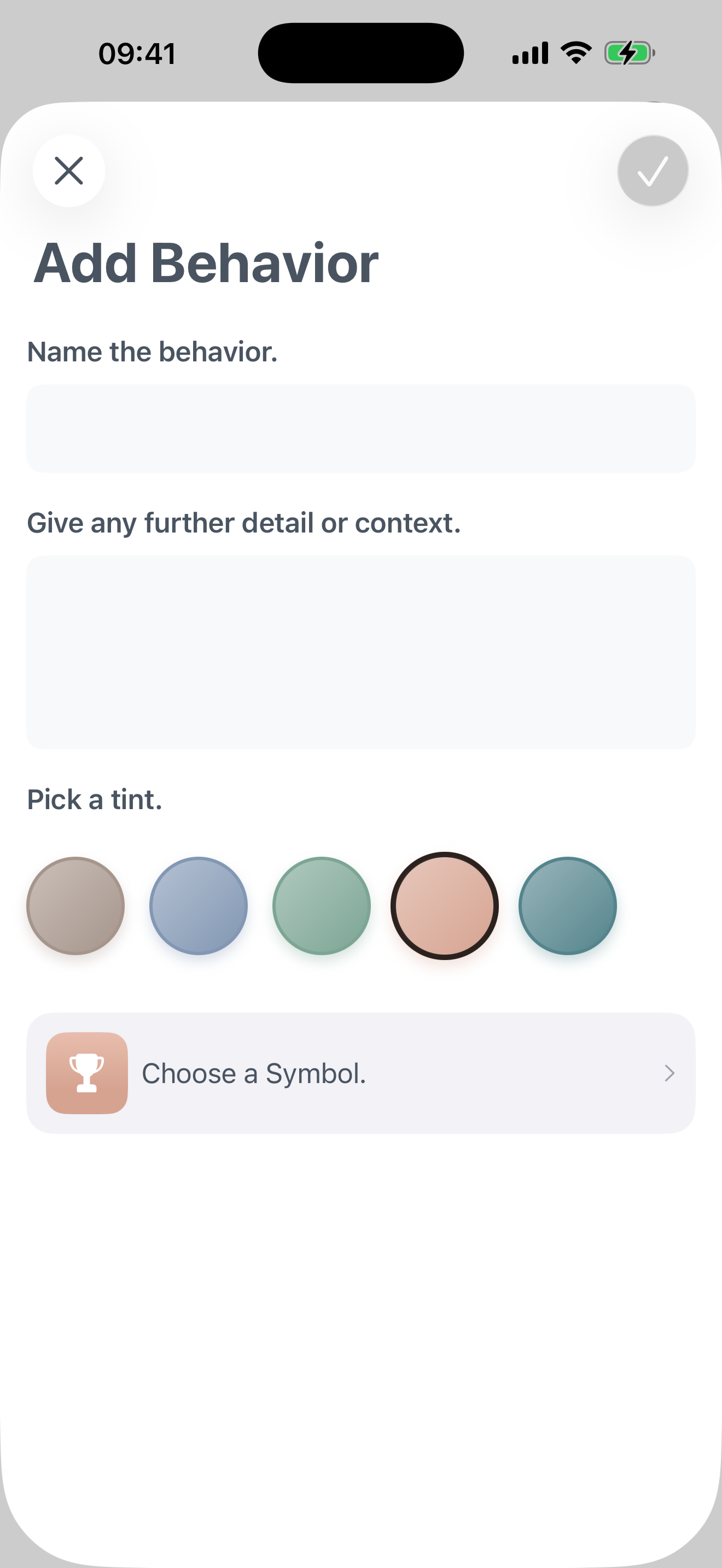
Start by naming the behavior you want to reduce. Be specific — the clearer you are, the more meaningful your tracking will be.
- Open the Momentum section from the app's navigation
- Tap the + button in the top-right corner
- Enter a name for the behavior (up to 30 characters)
- Add a note to give yourself context — this is just for you
- Choose a color and icon to make it easy to recognise at a glance
- Tap Save to start tracking from today
Understanding Your Streak
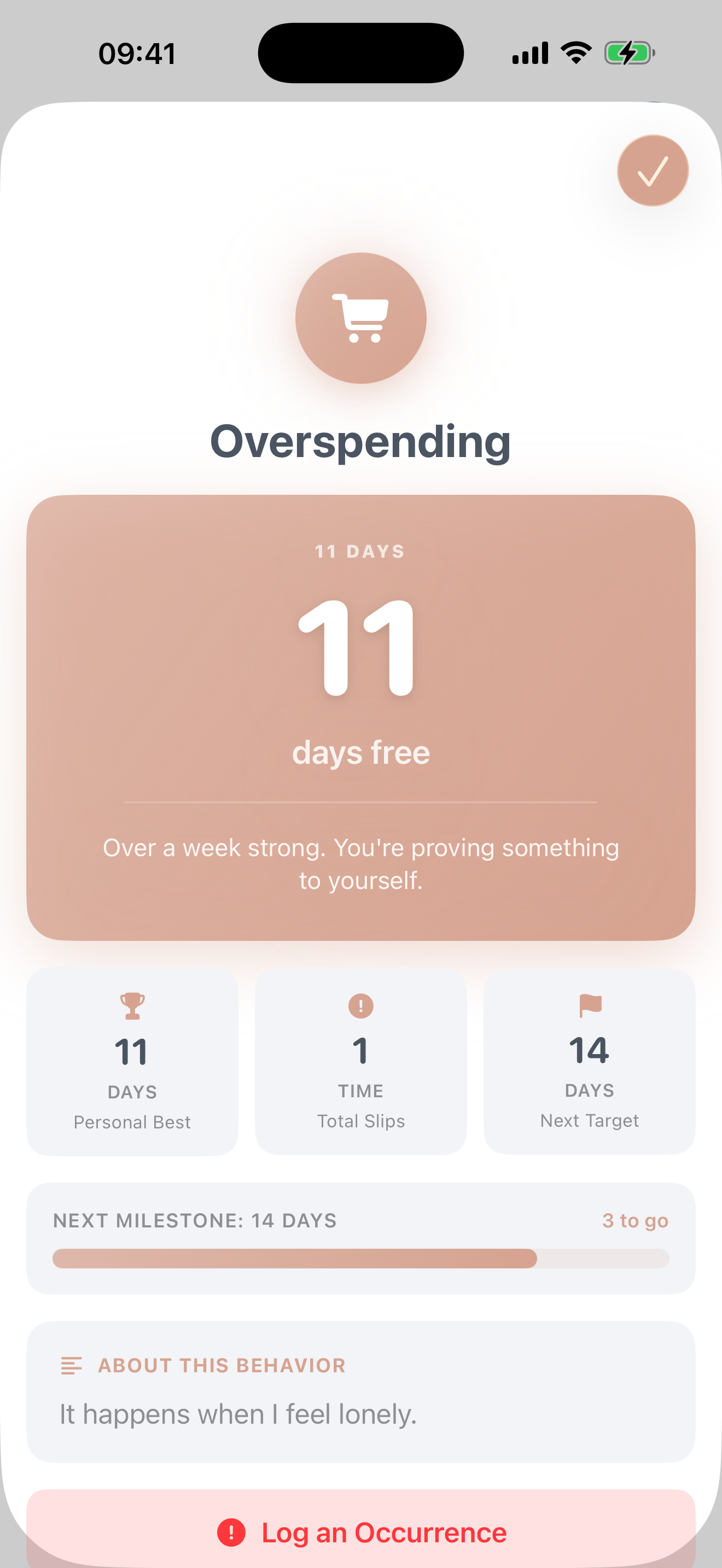
Tap any behavior card to open its detail view. This is your dashboard for that behavior.
- Current streak: How many days in a row you've gone without the behavior
- Personal best: Your longest streak ever — a record you can always try to beat
- Total occurrences: A count of all times you've logged the behavior
- Next milestone: The target you're working toward, with a progress bar showing how close you are
The motivational message at the top of the detail view changes as your streak grows — each stage has its own encouragement.
Logging an Occurrence
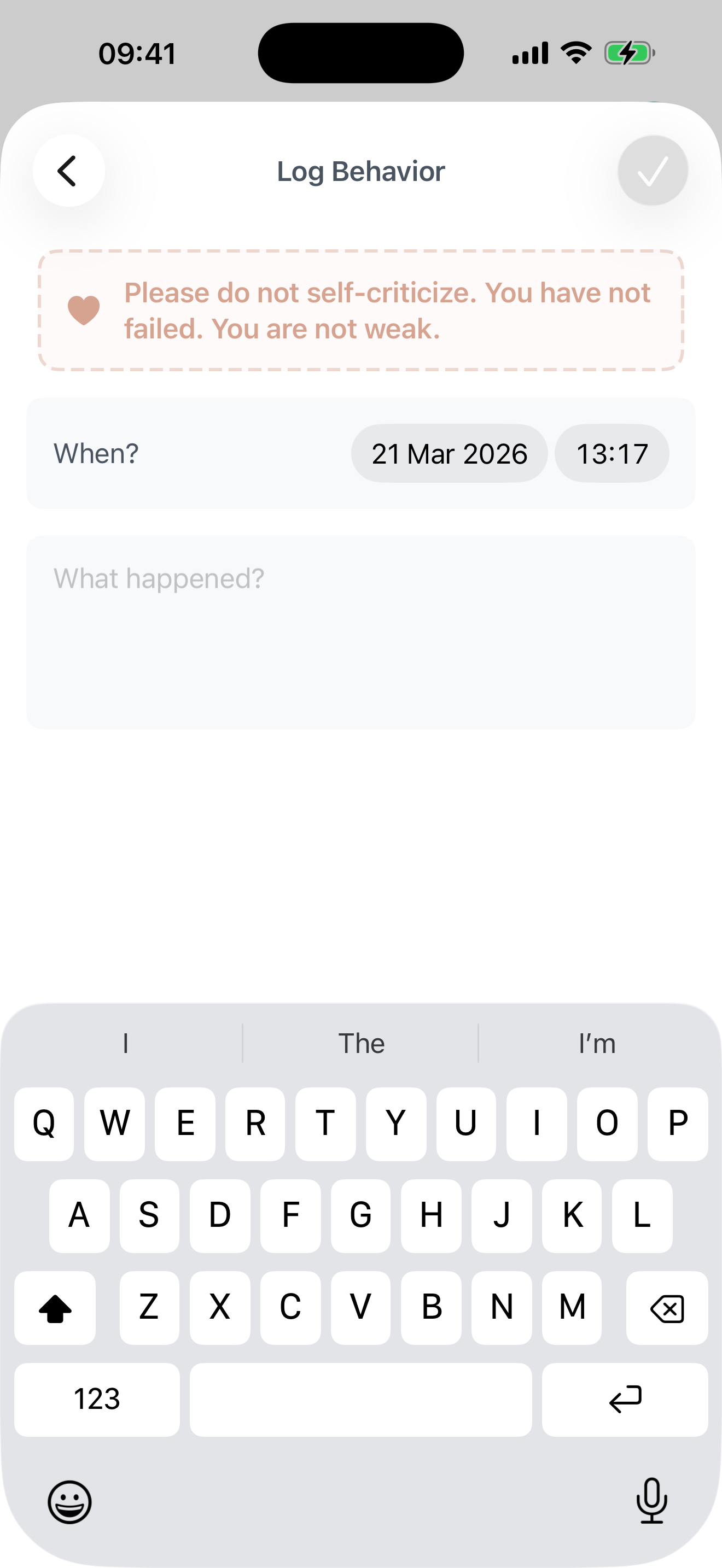
If the behavior happened, log it honestly. Momentum is built on truth, not performance. Logging a slip resets your streak — but it also records how far you came, and gives you a chance to reflect.
- Open the behavior's detail view
- Scroll down and tap Log an Occurrence
- Select the date and time it happened
- Write a brief note about what happened — this is for you, not a judgment
- Tap Save
You haven't failed
Momentum includes a reminder when you log: you are not weak, and you have not failed. A slip is information, not a verdict. Your streak resets, but your history — including everything you built before — stays visible in your past logs.
The Momentum Home Card
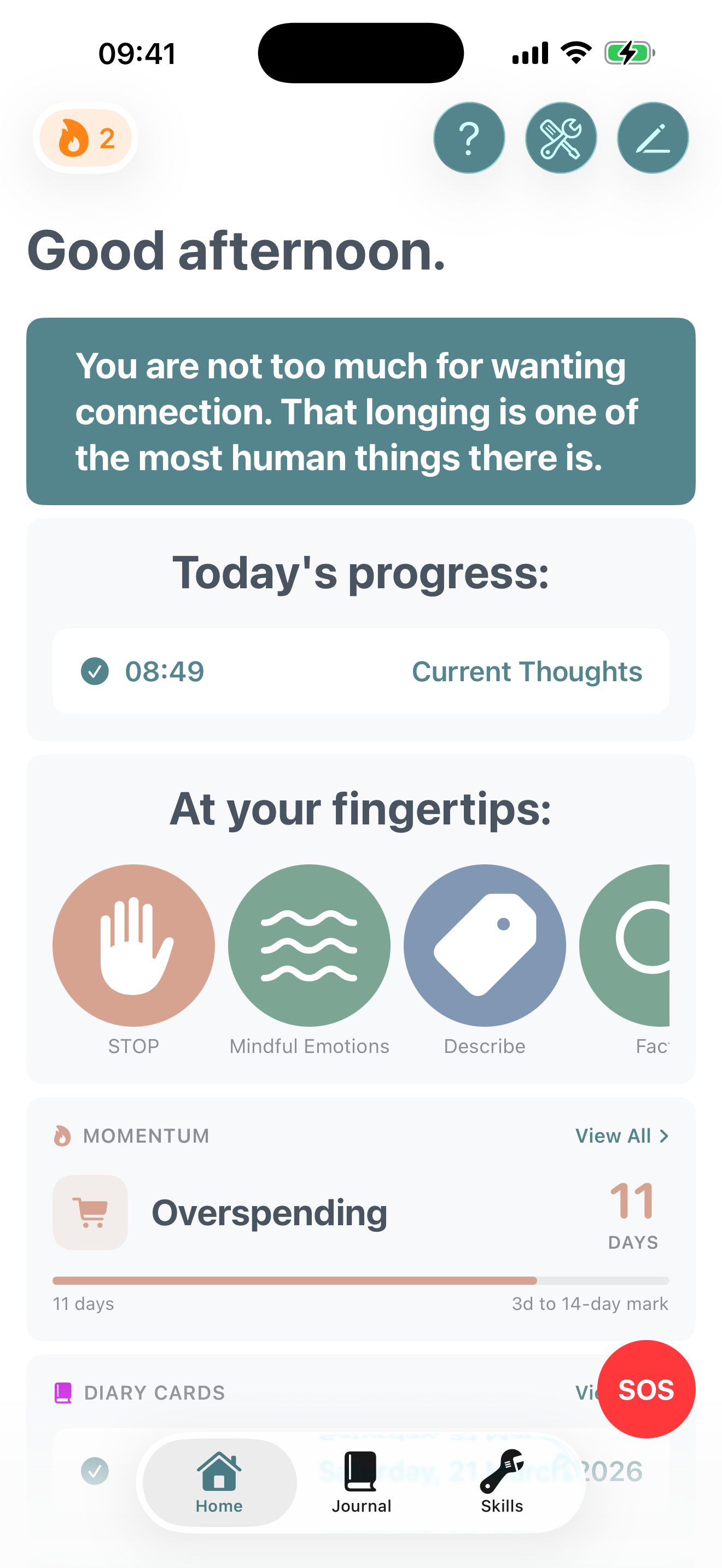
Your most active behavior appears as a card on the home screen, so you can check in without navigating anywhere.
- Shows your current streak in large, bold numbers
- Displays a milestone progress bar and how many days remain
- A human-readable label summarises your streak — "2 weeks", "3 months", and so on
- Tap View All to see every behavior you're tracking
Milestones
Momentum tracks a set of meaningful milestones and celebrates when you reach each one:
When you hit a milestone, a special badge appears on your streak card. Each milestone builds on the last — and once achieved, it's always part of your history.
Getting the Most from Momentum
Start with one behavior
It's tempting to track everything at once, but starting with one behavior you care deeply about is more powerful than spreading your focus thin.
Be honest when you log
The notes you write when logging an occurrence can reveal patterns over time — what situations, times of day, or emotional states tend to precede the behavior.
Bring it to therapy
Momentum's statistics — streak lengths, occurrence patterns, average days between slips — are valuable data to share with your therapist or support team.
A reset is not the end
Streaks are motivating, but the goal isn't a perfect score — it's gradual, real change. Every new streak starts with a single day.